
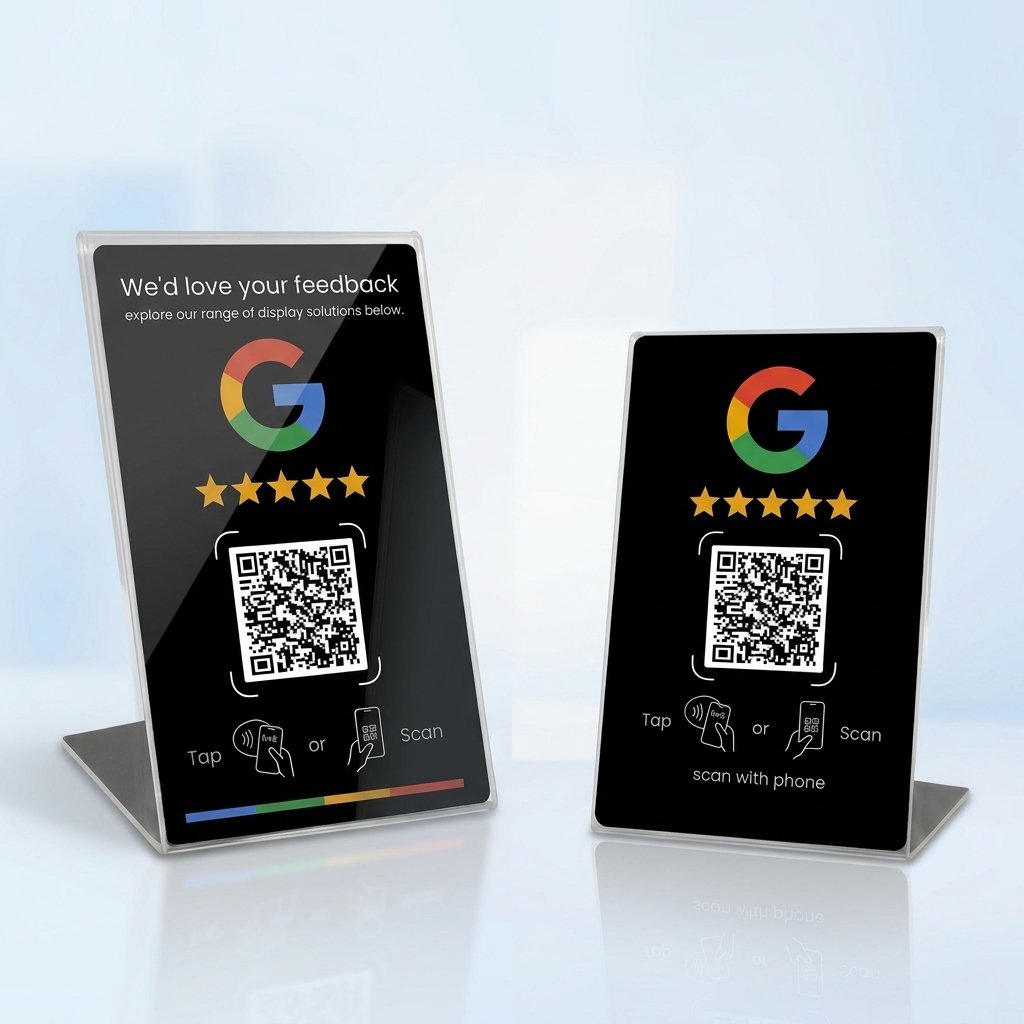
Nfc 215 programmable QR code Google Review Card NFC station table NFC Google Reviews display bending card standing brand bracket
$40.00
HACHANLUN Programmable NFC 215 Card for Google Reviews & Social Media
Boost your business reviews and grow your social media presence effortlessly with the HACHANLUN Programmable NFC 215 Card! Designed with cutting-edge NFC technology, this stylish standing card allows customers to leave a Google Review or visit your social profiles with just a single tap of their smartphone.
💡 Note: The card surface comes with a protective film layer. Please peel off the film before use for the best look and finish.
Key Features
-
Instant Google Reviews: Streamline feedback collection. Customers simply tap their phone against the card to be redirected instantly to your review link.
-
Multi-Platform Support: Highly versatile—connect customers to Google Reviews, Facebook, Instagram, TikTok, LINE, or any custom URL using a single card.
-
Sleek & Durable Stand Design: Features a built-in bending stand mechanism, ensuring high visibility and stability on checkout counters, dining tables, or reception desks.
-
Easy to Program & Re-program: Effortlessly update or change links anytime using the free “NFC Tools” app on iOS or Android.
-
CE Certified Quality: Made from durable PVC material and certified with CE standards for reliability, safety, and smooth performance.
Technical Specifications
| Property | Details |
| Brand Name | HACHANLUN |
| Model Number | 215 Card |
| Chip Type | NTAG215 / NFC215 |
| Frequency | 13.56 MHz |
| Protocol | ISO/IEC 14443A |
| Memory Capacity | 504 Bytes |
| Material | Premium Waterproof PVC |
| Certification | CE Certified |
| Origin | Mainland China |
| Package Contents | 1 x NFC Standing Card |
How to Set Up / Program Your NFC Card
Programming your NFC card takes less than a minute! Follow these simple steps:
-
Download the “NFC Tools” App:
-
🍏 iOS (App Store): Download NFC Tools for iPhone
-
🤖 Android (Google Play): Download NFC Tools for Android
-
-
Open the app and select the “Write” tab.
-
Tap “Add a record” and choose “URL / URI”.
-
Paste your Google Review Link (or social media page link) and tap OK.
-
Tap “Write” in the app and hold the back of your phone against the NFC card until you hear a confirmation beep.
-
Your card is ready to use!
| Color |
line ,THK Black ,THK White ,Tiktok ,White |
|---|
Reviews
There are no reviews yet.